Features Buildfy AI ✦ Templates ↗ Screenshots Tutorials ↗ Docs ↗ Pricing
Use Buildfy → Buy
Buildfy 3.0 — Now Available

Build Python
Desktop Apps.
Visually.

The no-code visual IDE for Python CustomTkinter. Drag widgets, wire logic with nodes, and export clean Python — without writing UI code.

Free to use  ·  Python  ·  CustomTkinter  ·  No coding required

Buildfy Studio — MyApp.buildfy
Design
Nodes
Export
+ CTkButton
Node connected
Main Window · 1280×720
● Live 3 widgets
Login Form
user@email.com
Sign In
Total Exports
2,841
Completion
68%
Active Widgets
12
Properties
Widget CTkButton
Width 140
Height 36
Corner 8px
Color
Hover
Font Inter 13
Visible On
Node Linked
Ready
Python 3.12
CustomTkinter 5.2
main.py · 3 nodes
10+
Widget types
Visual
Node-based logic
Live
Preview engine
Clean
Python export
Features

One tool. Every stage
of your app.

From visual design to node logic to Python export — Buildfy handles the whole pipeline.

🎨
Drag & Drop Designer
Place widgets visually. Smart alignment guides, resize handles, nested layouts — zero coordinate math.
Node-Based Logic
Wire events to actions visually. Button clicks, conditions, data flows — connected like a blueprint.
Live Preview
See changes in real time as you drag, resize, and style. Hot reload so you never lose context.
🐍
Clean Python Export
Export readable, modular Python — professional architecture: main.py, pages/, components/, themes/.
🎭
CustomTkinter Theming
Full visual control: fonts, corners, hover states, gradients, shadows — styled without editing code.
🧩
Component Library
Save reusable widgets. Build dashboards, navbars, and chat UIs once — reuse everywhere.
📦
Auto Project Structure
Exports as a full project — assets/, logic/, config/ — ready to extend and ship immediately.
🌐
API & File Nodes
Fetch APIs, read/write files, manage local databases — all wired visually, no boilerplate.
🖥
Multi-Page Support
Full multi-window apps with navigation, sidebars, settings panels, tabviews — all managed visually.
Node System

Visual logic.
Real power.

Stop writing event handlers. Connect app behavior visually — like a blueprint that compiles to clean Python.

  • Event nodes — button clicks, keypresses, app start, window resize
  • Logic nodes — if/else, loops, conditions, timers, delays
  • UI nodes — show/hide widgets, change text, animate, switch page
  • Data nodes — variables, lists, JSON, local storage, file system
  • API nodes — fetch endpoints, POST requests, database calls
Flow · MyApp.buildfy● Running
Button ClickedEvent
Validate InputLogic
Save VariableData
Show PopupUI
Update LabelUI

→ Compiles to clean Python automatically

Screenshots

See it in action.

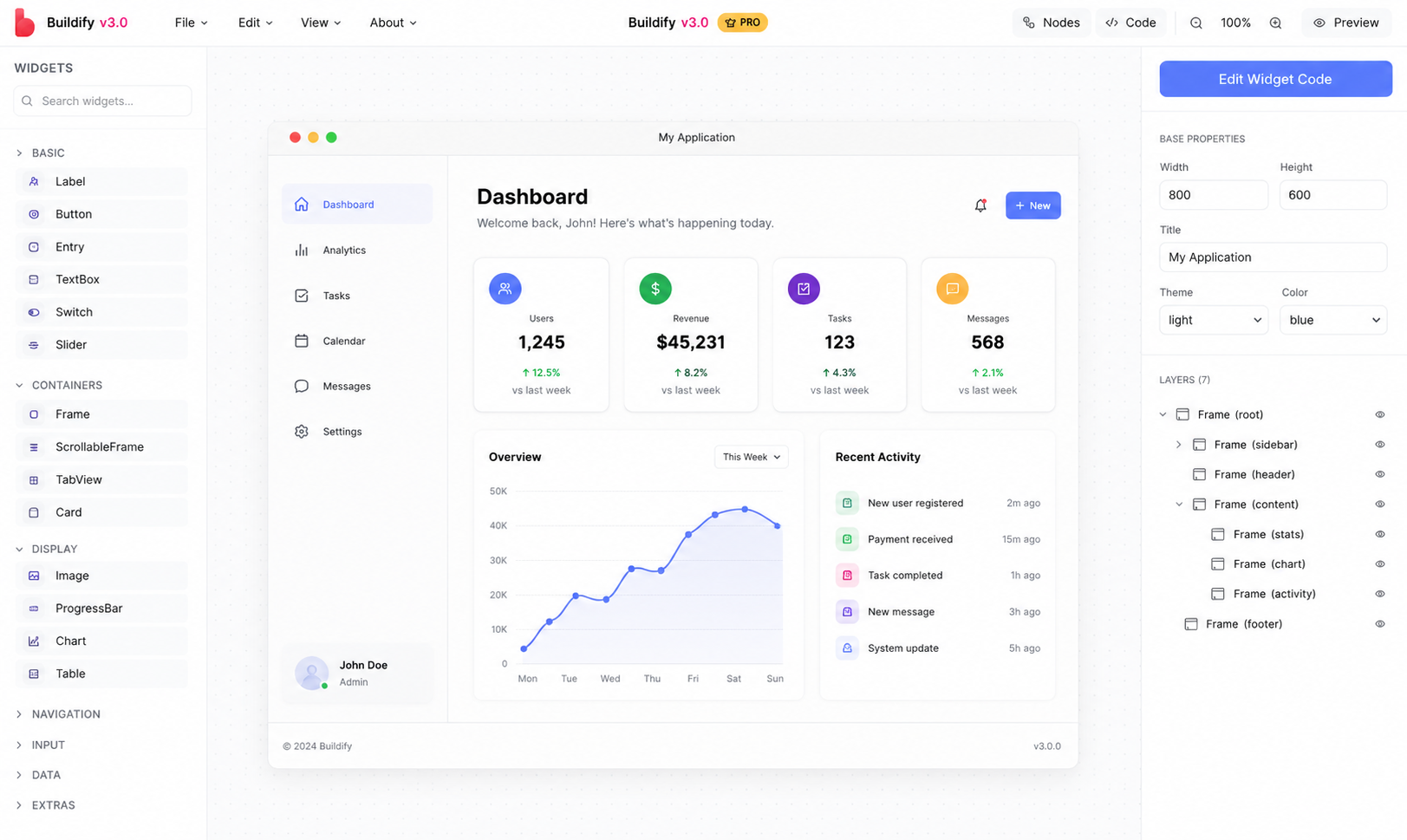
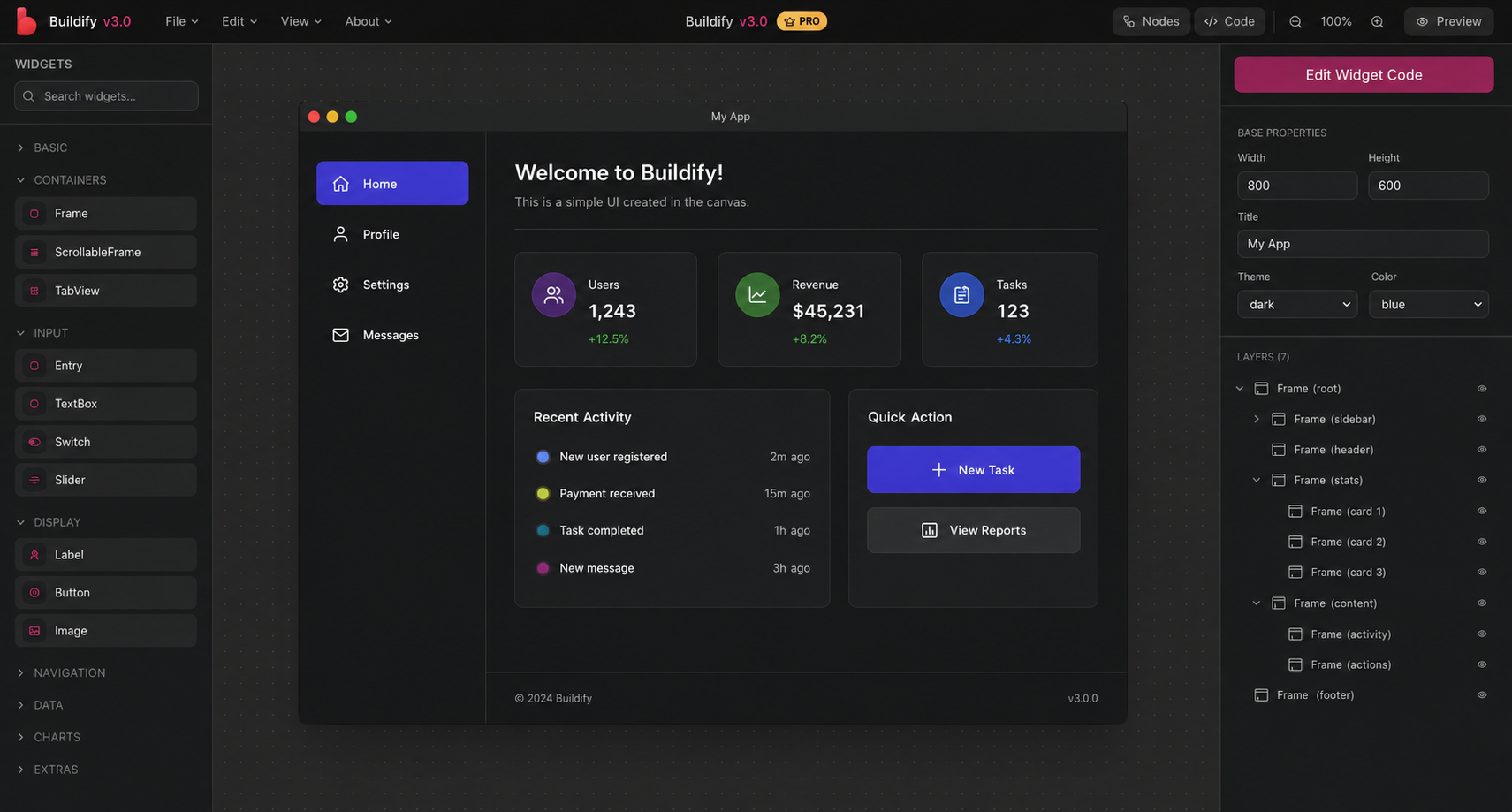
A real look at Buildfy Studio — the visual IDE for Python desktop apps.

Buildfy Studio — Designer View
Buildfy Studio — Node System
Use Cases

Not just demos.
Real applications.

Built for production Python software — not toy UIs.

Desktop AppsDashboards File ManagersAutomation Tools Admin PanelsDatabase Apps Productivity ToolsChat Interfaces System UtilitiesData Visualizers Settings PanelsLogin Screens Form BuildersMedia Players Code Editors
Tutorials

Learn by watching.

Step-by-step guides — from your first widget to full multi-page Python apps.

Watch Tutorials on YouTube →
Connections

The Buildfy ecosystem.

Buildfy is more than an editor — it's a suite of tools designed to work together seamlessly.

Pricing

Three ways to build.

Start free. Unlock more with Pro. Go further with Buildfy AI.

Free
$0
forever

Full access to Buildfy Studio in your browser. No install needed.

  • Full drag-and-drop designer
  • Node behavior system
  • Live preview
  • Web-based — no install
  • Python code viewer
Open Buildfy Studio →
Most Popular
Pro License
Lifetime
one-time payment

Full source code, standalone export, commercial rights — and Buildfy AI access.

  • Everything in Free
  • Full source code export
  • Standalone .exe export
  • Priority updates
  • Lifetime access
  • Commercial use rights
  • Buildfy AI access ✦
Buy License →
✦ Pro Feature
Buildfy AI
Included
with Pro License

Generate beautiful Python GUIs from text prompts. Export directly to Buildfy.

GPT-4o Gemini Claude
🔒Requires Pro License to unlock
  • Generate GUIs from text prompts
  • GPT-4o integration
  • Gemini integration
  • One-click export to Buildfy
  • Custom model settings
  • Instant preview
Unlock with Pro →
Feedback

Tell us what
you think.

Your feedback shapes Buildfy's future. Share thoughts, bugs, and feature requests.

💬
Share your feedback
Takes about 2 minutes